Skip to Content

Ideal Weighbridge — the smart weighbridge system by Odoosa

Weighbridge softwareEvery kilo… counted.

Complete weighbridge (truck scale) software for concrete plants, quarries and cement factories: only stable weights are recorded, QR tickets anyone can verify, the waiting trucks in front of you, shift reports, and automatic sync with Odoo.

For Windows 10 and 11

30 full days with every feature — no payment card. After that, $120 a year per PC, and your data stays as it is.

07:42:182026-09-24
24,560kg
No signal Motion Stable Zero
Stable — ready to record Record weight
Recording unlocks only once the reading holds within 20 kg for two seconds

The whole weighing

From the truck driving in… to the ticket

A loaded gravel truck drives on and its gross weight is recorded; it tips its load and comes back empty for the tare — the program works out the net and prints the ticket by itself.

18 m weighbridge · up to 80 t IDEAL WEIGHBRIDGE 41,860 kg Motion Stable Zero
  1. The loaded truck drives onThe reading climbs as each axle comes onto the deck
  2. First weight: grossRecorded only once the reading is stable
  3. Tipping the gravelThe truck backs to the stockpile and tips its load
  4. Second weight: tareBack empty on the same weighbridge
  5. Net and ticketThe program works it out and prints it with a QR code

The numbers in the scene are an example: a gravel truck with a gross weight of 41,860 kg and a tare of 13,960 kg.

The free trial

A weighing ticket… for your trial

Ticket no.TRIAL-030
Tare Register on this page, download the program and install it on the weighbridge PCWe help you connect the indicator and set up the ticket with your company name Day 1
Gross 30 days of real work with every featureWeighings, tickets, reports, permissions, Odoo sync — nothing is locked Days 1 → 30
Net Carry on with an activation code$120 a year per PC — every ticket and record from the trial stays as it is After day 30
No payment card The program counts down the days left Updates from day one

Features

The program's own screens — not mock-ups

Every picture here is the program running with sample data.

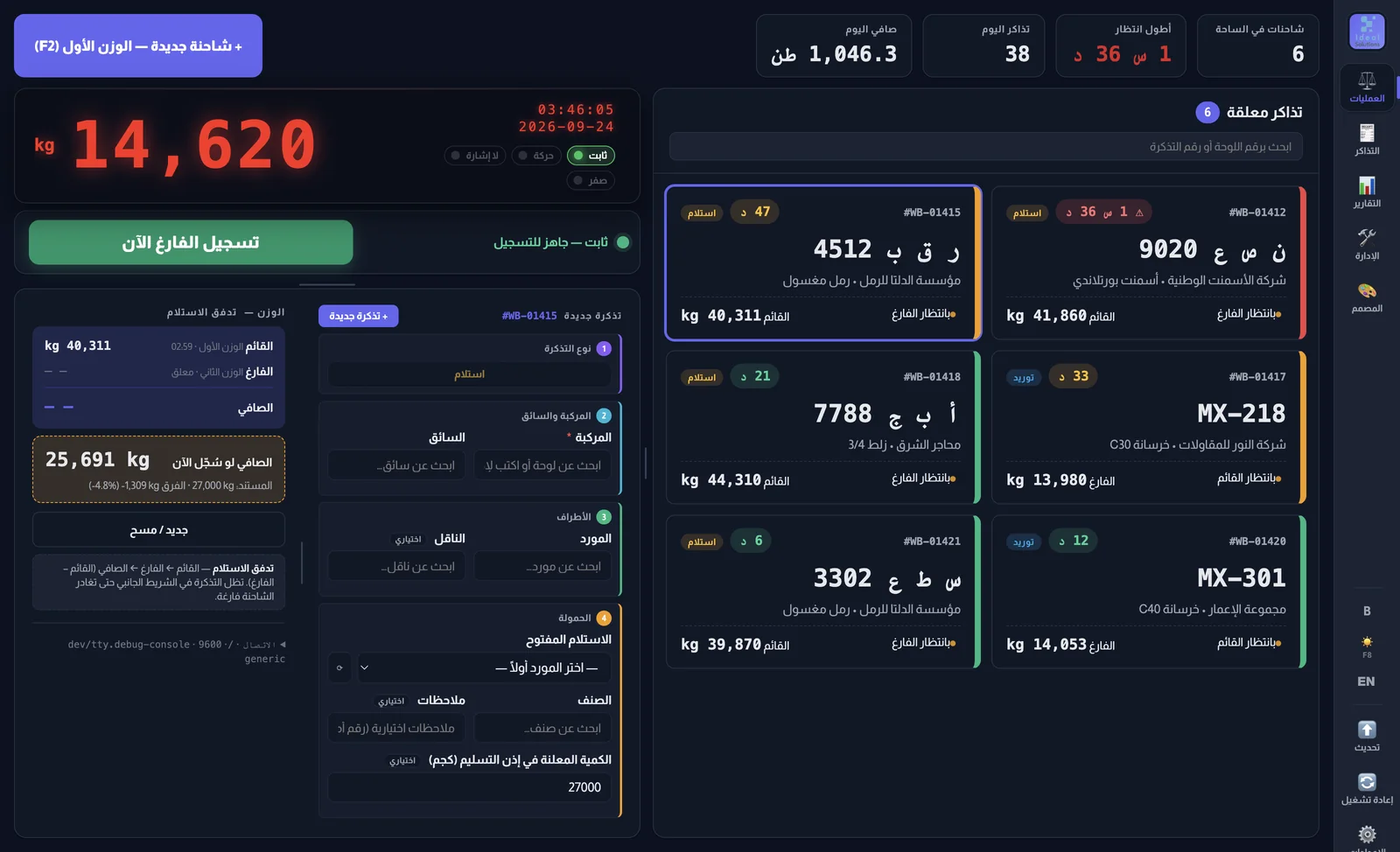
The operations screen: the weight reading, the status lamps and the record buttonThe operations screen: the weight reading, the status lamps and the record button

Stable weights… no mistakes

No weight is recorded while the truck is still moving. Clear lamps (no signal, motion, stable, zero), and the record button changes colour with the state. If the indicator drops out, manual entry needs a supervisor's approval and is marked on the ticket.

Stable within 20 kg for 2 secondsOverload alert
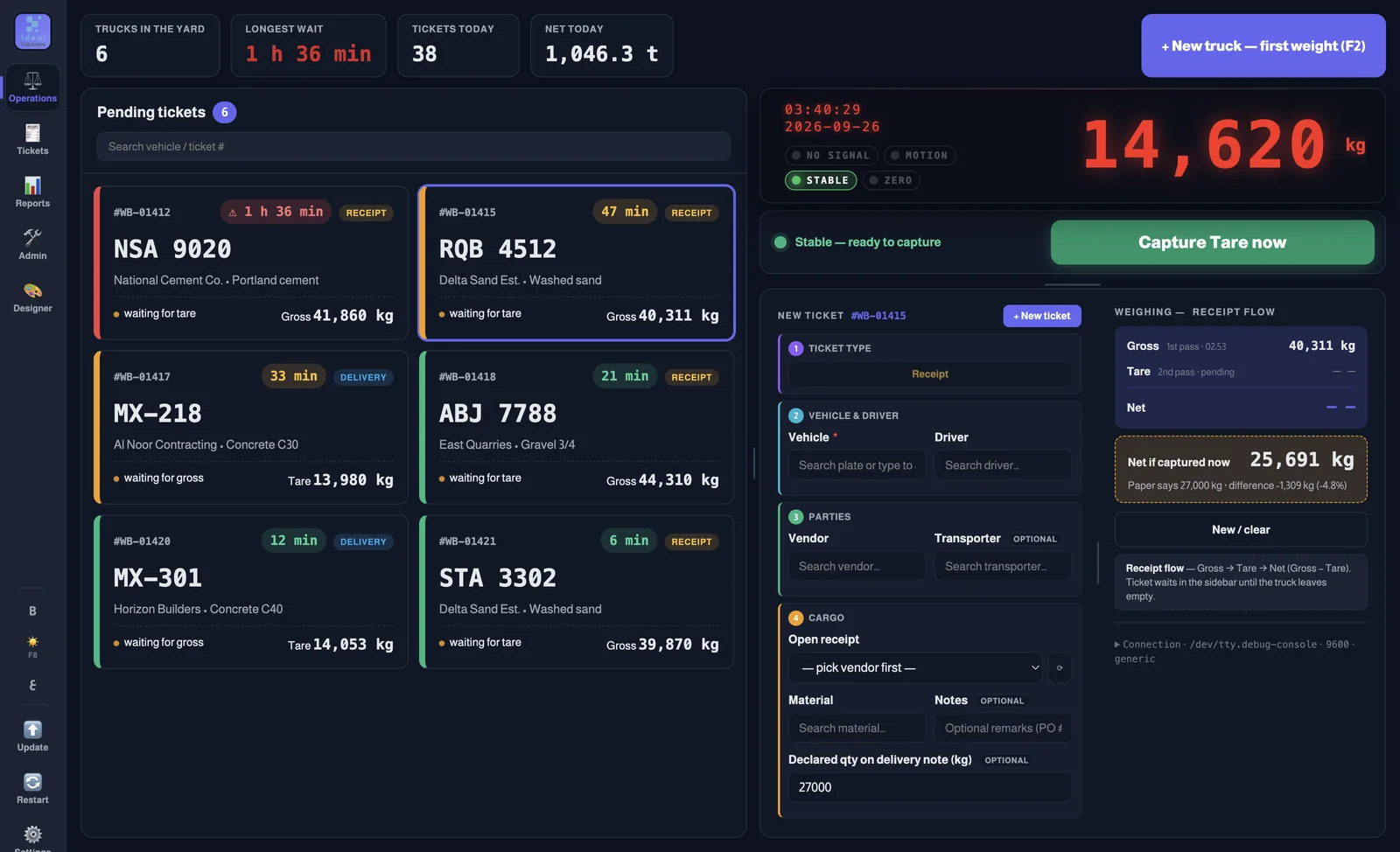
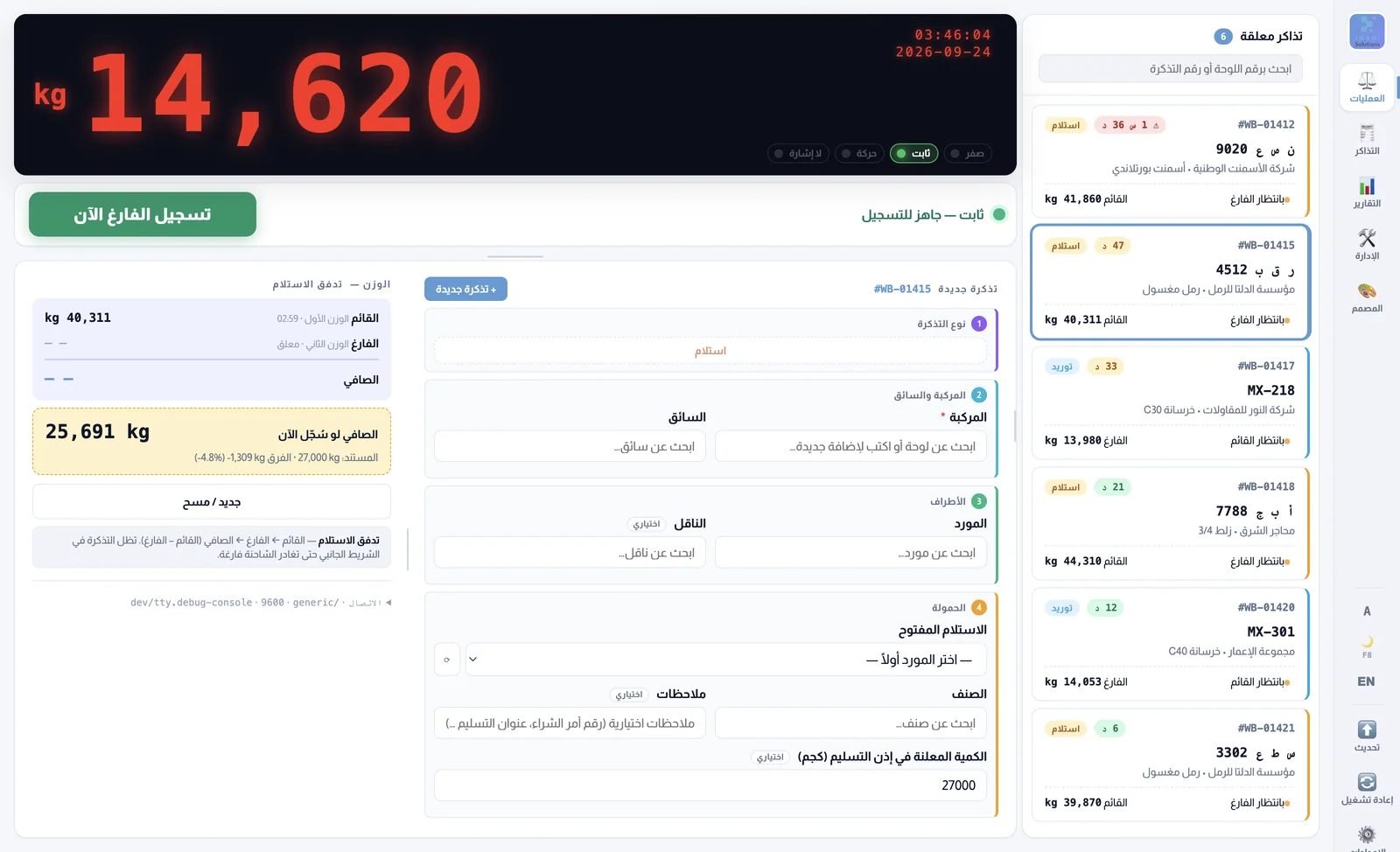
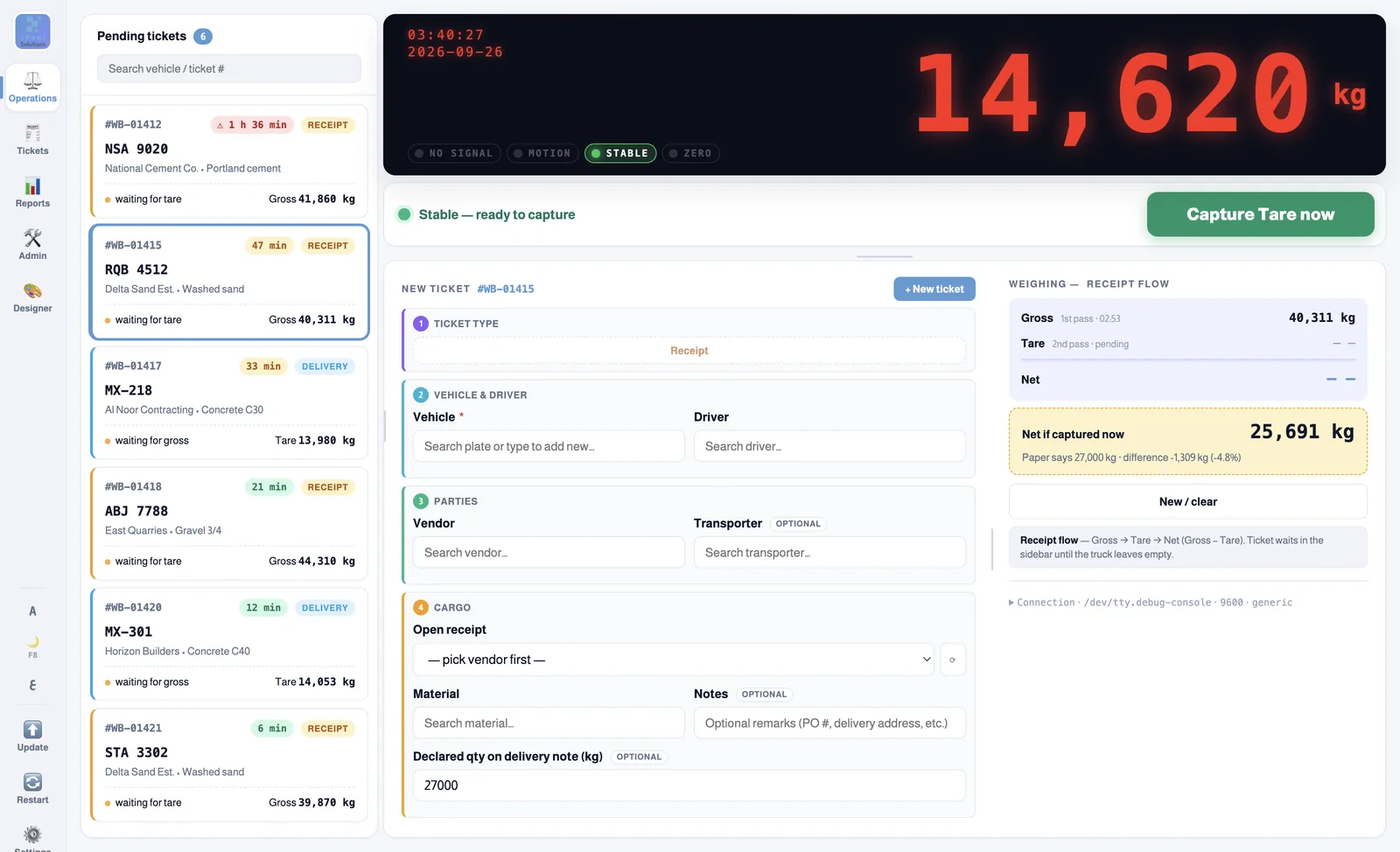
The waiting trucks, with how long each has waitedThe waiting trucks, with how long each has waited

Every waiting truck in front of you

Each truck waiting for its second weight, with how long it has waited — green, amber after half an hour, red after an hour. The net shows before you record, next to the quantity on the document.

Live yard countersTwo screen layouts and a night mode
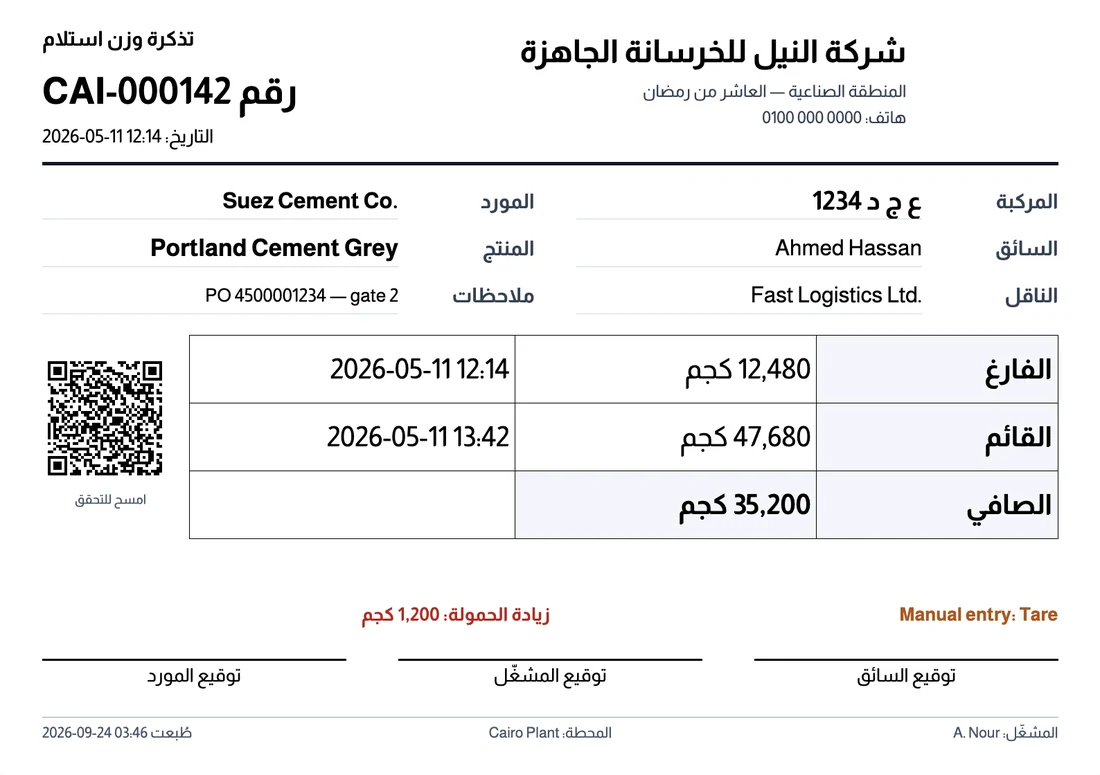
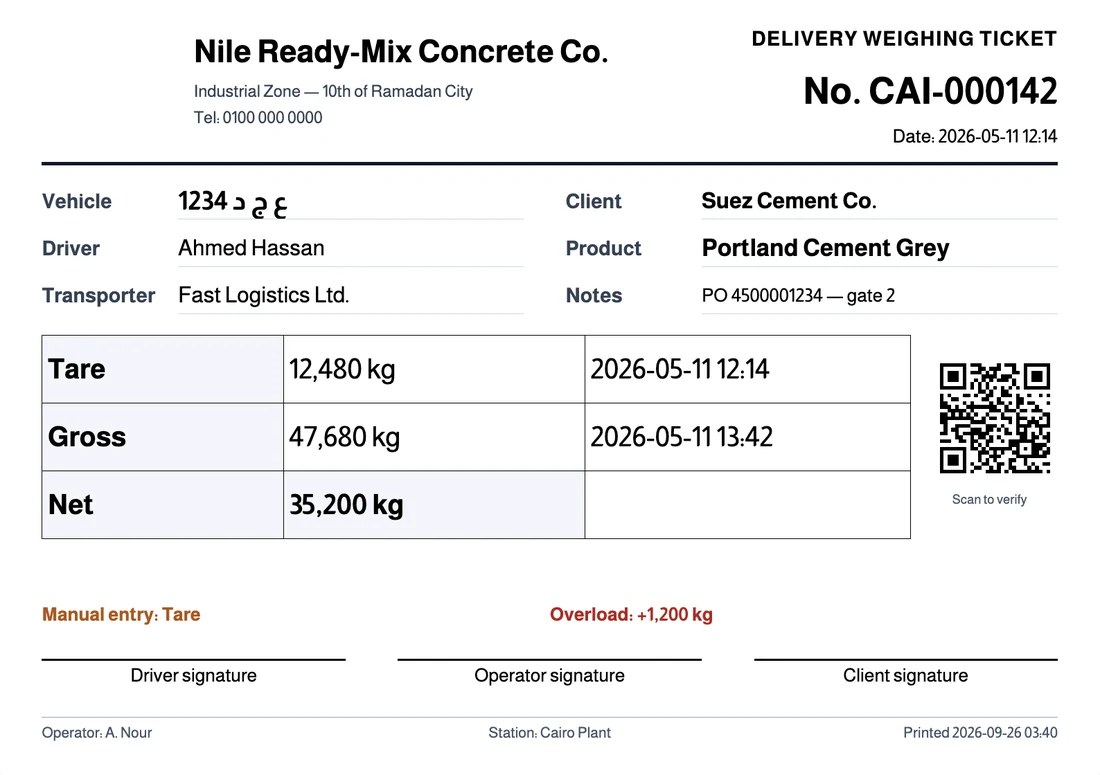
A printed receipt ticket with a QR code to verify itA printed receipt ticket with a QR code to verify it

A professional ticket with a QR code

Design the ticket yourself in Arabic or English: your company name and logo, the time of each weighing, the signatures. Anyone who scans the code can check that the ticket is genuine and came from the system.

Direct printing, no dialogsBuilt-in ticket designer
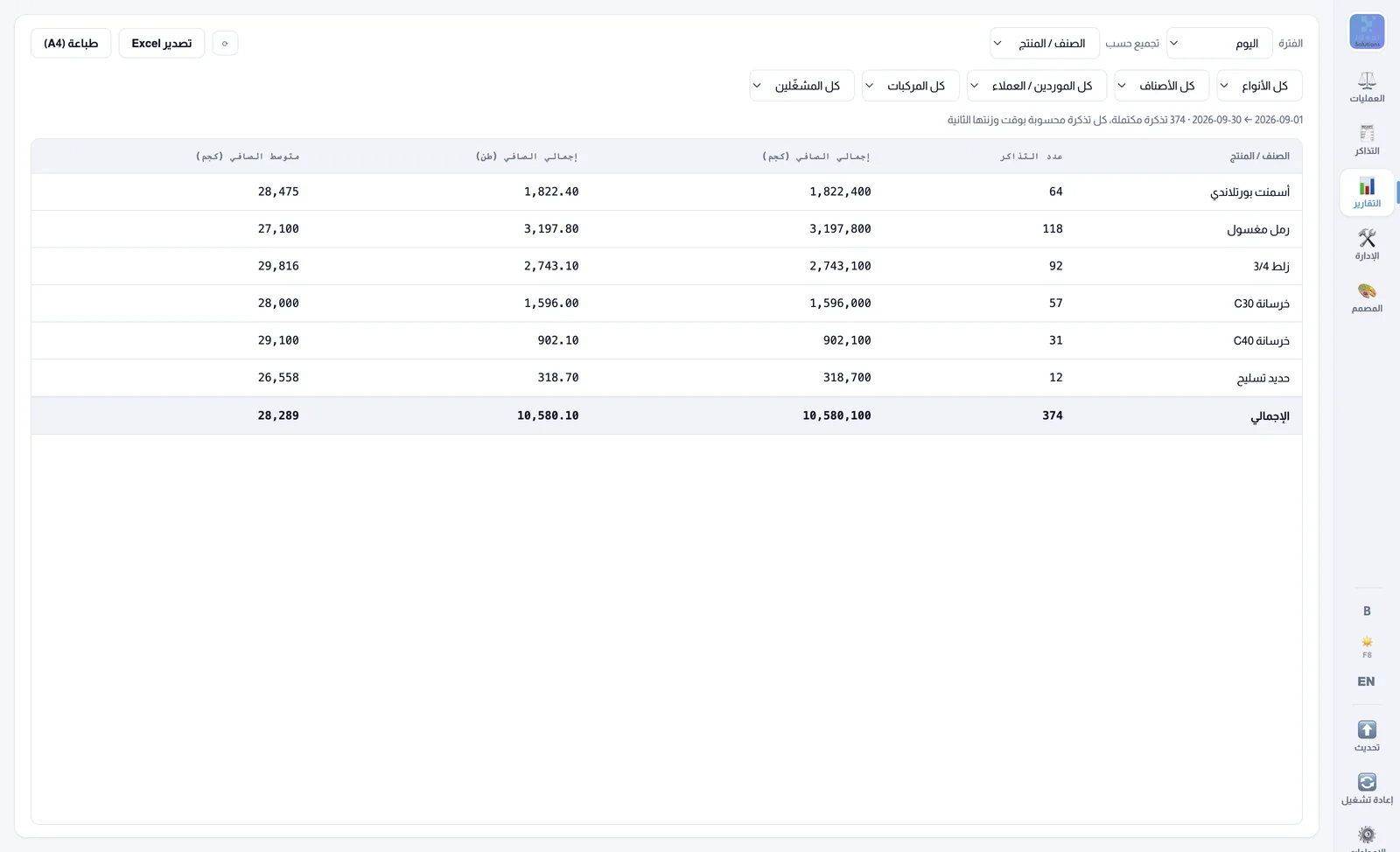
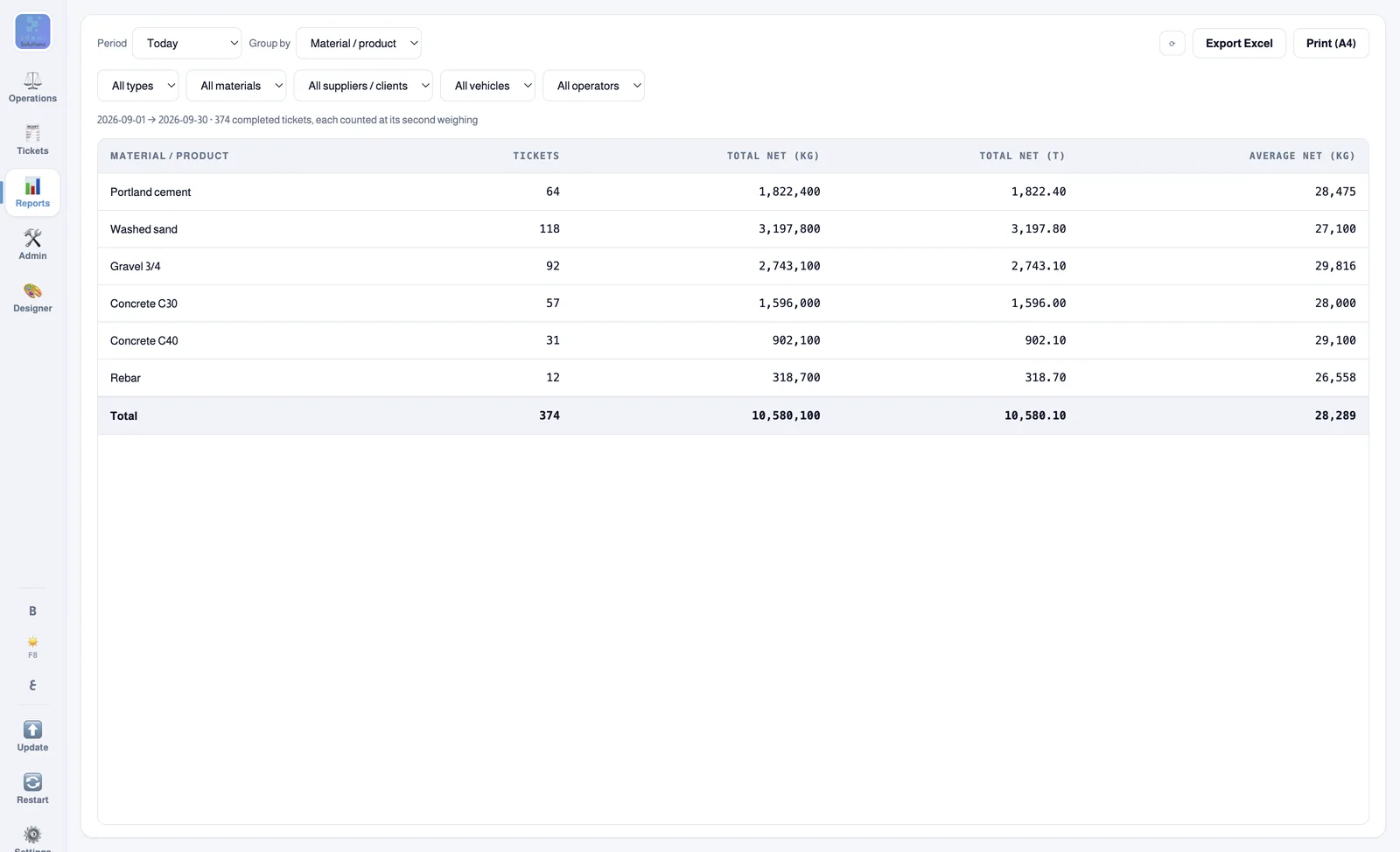
A report of the total net weight by materialA report of the total net weight by material

Shift reports and Excel export

Total net weight by day, material, supplier, vehicle, operator or shift — Excel that opens in Arabic, and A4 printing under your company name.

Shifts you defineIn kilograms and tonnes
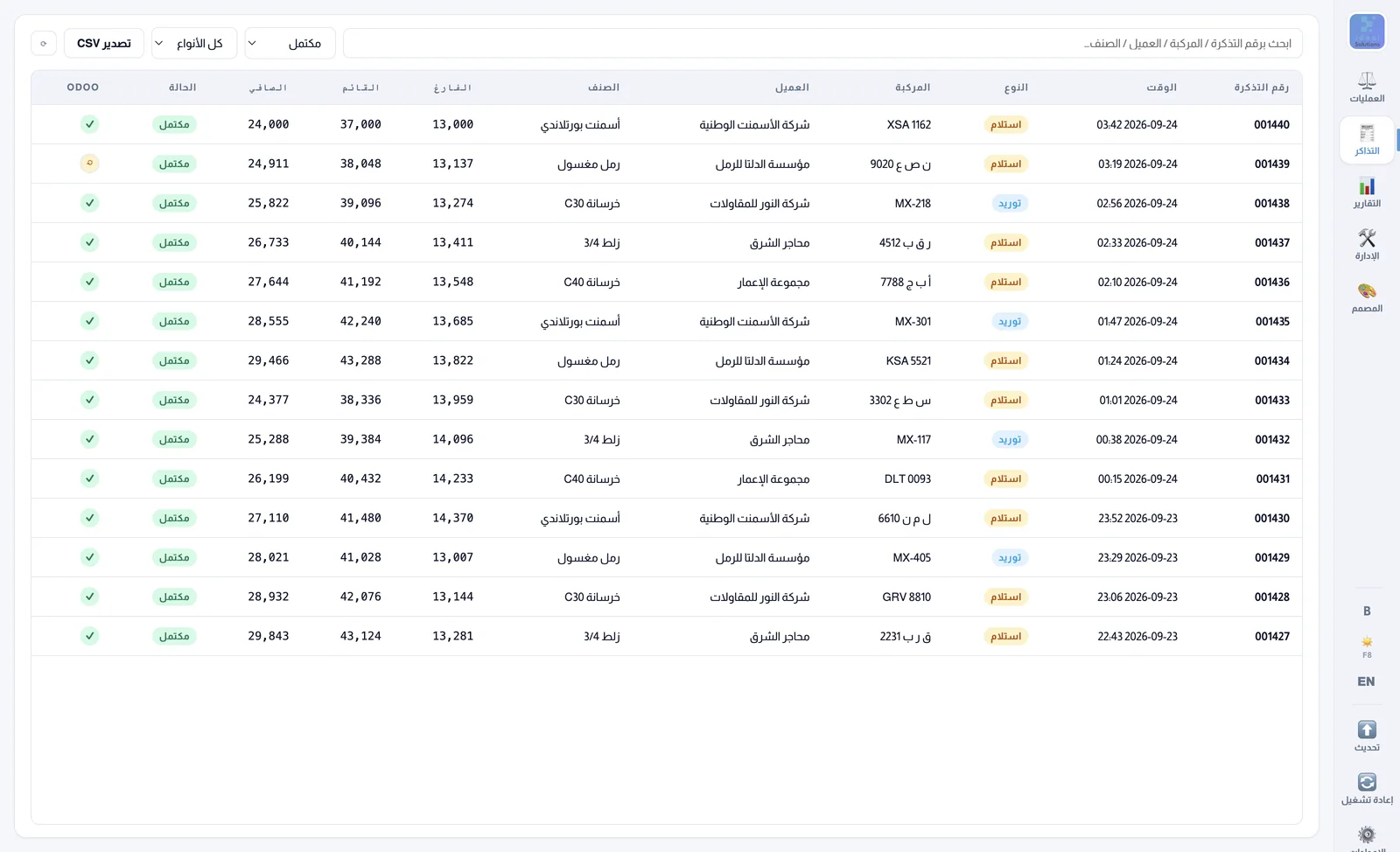
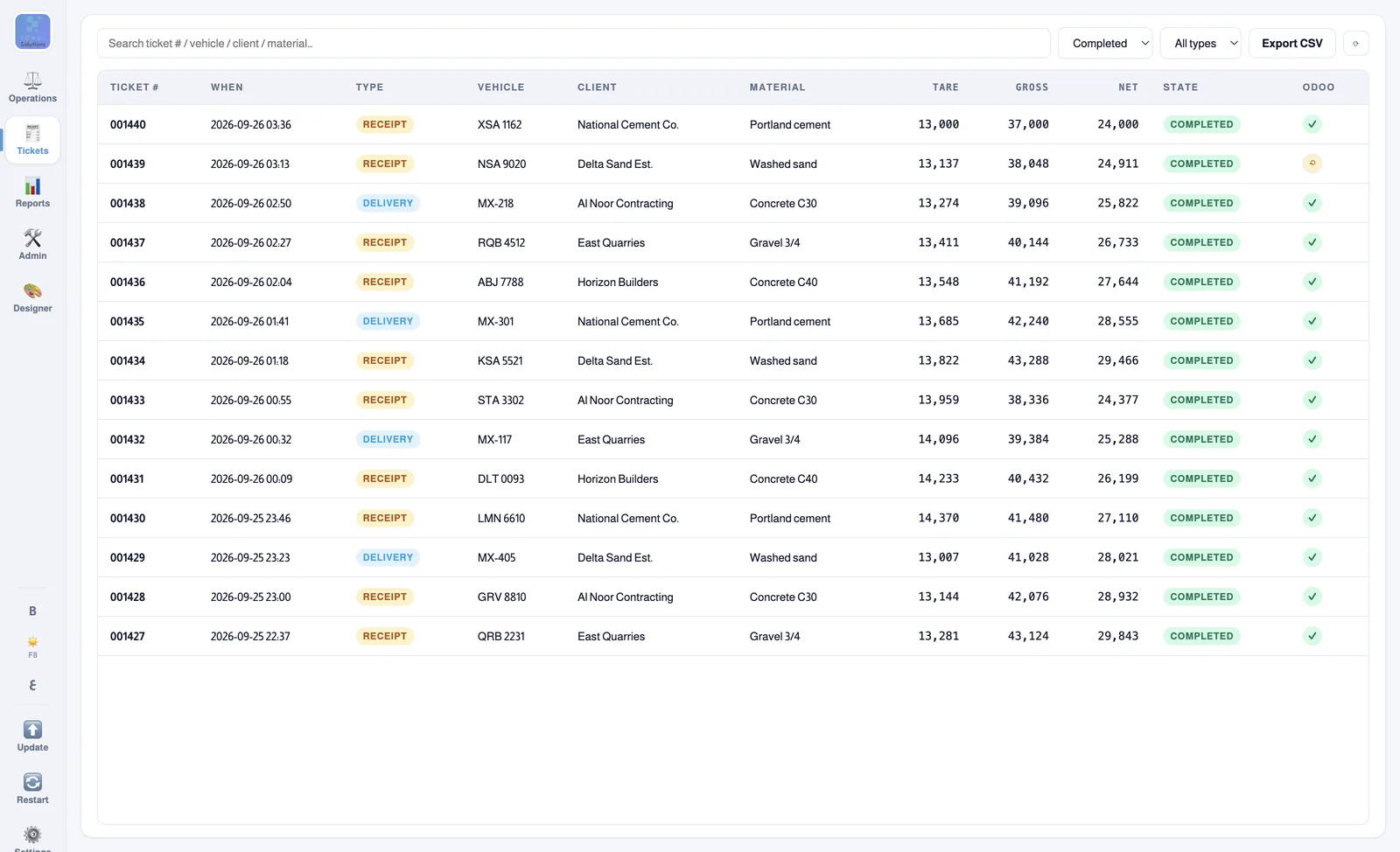
The ticket list, with each ticket's Odoo sync stateThe ticket list, with each ticket's Odoo sync state

In sync with Odoo, automatically

Customers, suppliers, the fleet and open receipts come down from Odoo, and finished tickets go up by themselves. If the internet drops, the weighbridge keeps working and syncs as soon as it is back.

Odoo is optionalWorks offline
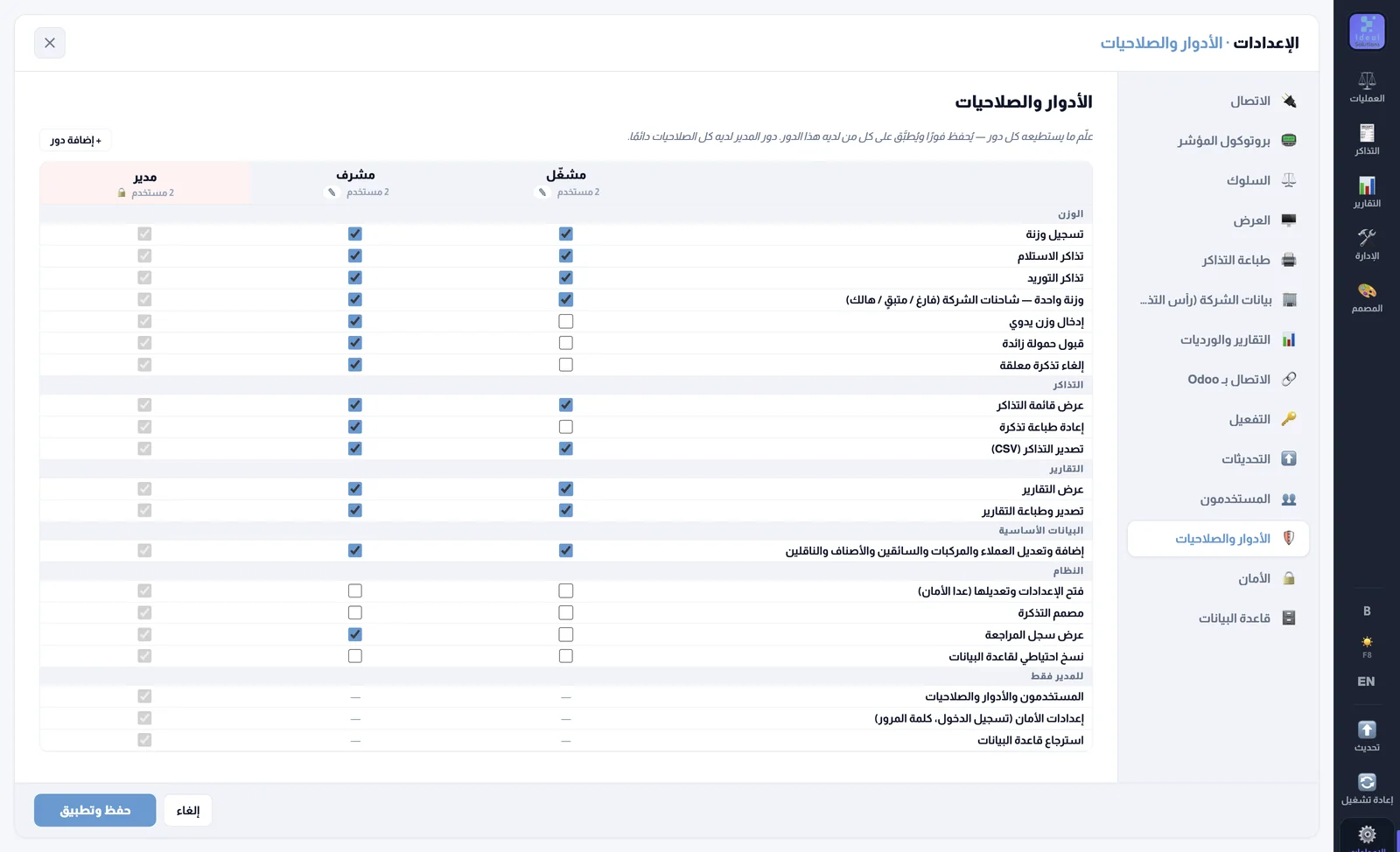
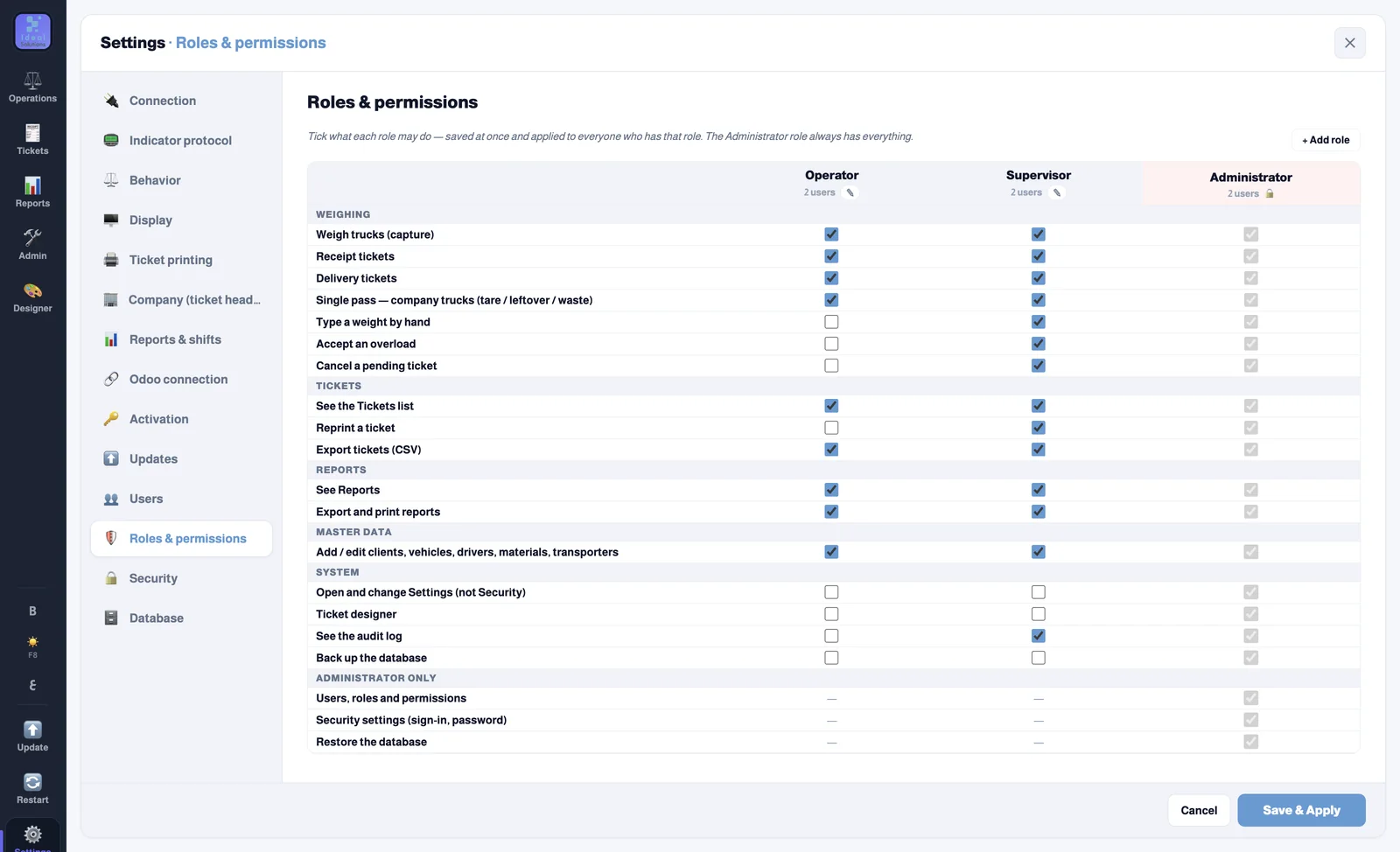
The roles and permissions tableThe roles and permissions table

Users and permissions for every role

Each operator signs in with a PIN. You decide who records receipts or deliveries, and who can cancel, reprint or type a weight by hand — with a supervisor approving by PIN. Every action is kept in the audit log.

Roles you defineA full audit log

In 48 seconds

See Ideal Weighbridge at work

From the moment the truck drives onto the scale to the printed ticket.

Who is it for?

Anywhere with a weighbridge and trucks coming and going

Whether you call it a weighbridge, a truck scale or a platform scale — Ideal Weighbridge works with the weight indicator you already have.

Ready-mix concreteReceiving cement and aggregates, delivering concrete, mixer tares and the concrete left in the drum.
Quarries and aggregatesSand and gravel sold by the tonne, with the vehicle, the haulier and the customer on every ticket.
Cement factoriesReceiving raw materials and shipping the product, with the weight checked against the delivery note.
Warehouses and building materialsAnything sold by weight: a ticket for every movement and a report for every day and shift.
Operating systemWindows 10 and 11
Weight indicatorCOM port or the network (TCP)
LanguageArabic and English — the ticket too
InternetNot required — it syncs when back
OdooOptional integration
UpdatesAutomatic, from inside the program

Your scale isn't supported? We get it working with you.

The program reads most weight indicators over a COM port or the network. If yours shows no reading, contact us: we join you in a remote session on the weighbridge PC and set it up with you.

    Pricing

    A clear price… after 30 free days

    Try every feature for 30 days. After that, one yearly subscription for each weighbridge PC.

    The weighbridge program

    Ideal Weighbridge

    $120a year, per PC
    • Every feature, unlimited tickets and users
    • Updates included
    • 30-day free trial first, no payment card
    • Activation code — your trial data stays
    Download and start the trial

    Optional — for companies on Odoo

    Odoo connector

    $500one-time — any number of weighbridges in your company
    • For Odoo 13, 14, 15, 16, 17, 18 and 19
    • Receipts and deliveries validated with the real weight
    • Customers, suppliers and the fleet synced to the program
    • The program works without it

    Launch offer: buy the connector and get the first year of Ideal Weighbridge free on up to 3 PCs — contact us after buying and we send you the activation codes.

    Get it on the Odoo App Store

    Prices in US dollars. More than one weighbridge? One subscription for each PC connected to a scale.

    Questions

    Before you start the trial

    How much does it cost?

    30 days free with every feature, then $120 a year for each weighbridge PC. The Odoo connector (optional) is $500 once, for any number of weighbridges in your company — and for now it comes with the first year of the program free on up to 3 PCs.

    What happens after the 30 days?

    The program asks for an activation code to carry on. Every ticket, report and record from the trial stays as it is — nothing is deleted.

    Do I need Odoo?

    No. The program works fully on its own. The Odoo connector is optional, for when you want customers, the fleet and tickets to sync by themselves.

    What if the internet goes down?

    Weighing, tickets and printing carry on as normal on the PC, and the tickets go to Odoo as soon as the internet is back.

    Does it work with my weight indicator?

    The program reads the weight indicator on a COM port or over the network (TCP), and has a connection test that shows you the raw readings. During the trial we help you connect it. If your indicator isn't supported, contact us and we join you in a remote session to get it working.

    Which Odoo versions does the connector work with?

    Odoo 13, 14, 15, 16, 17, 18 and 19, Community or Enterprise, on your own server or Odoo.sh. It is on the Odoo App Store for $500 once, for any number of weighbridges in your company.

    I already use another weighbridge program. Can I switch?

    Yes. Ideal Weighbridge reads the same weight indicator over its COM port or the network, so you can try it for 30 days on the same PC and scale — we help you set it up and design your ticket.

    Can I change how the ticket looks?

    Yes, there is a built-in ticket designer: the size, the logo, the fields, the table and the QR code — in Arabic or English.
    The free trial

    Register and download the trial

    Fill in your details and confirm your email with the code we send you — the download starts straight after. We get in touch to help you install it and connect the indicator.

    Questions? Reach us directly:

      +966